
N3XT.TV Is Live: A New Challenger to YouTube
Published October 11, 2026
Conceptual launch illustration. The media panels represent video creativity, not actual N3XT.TV uploads.
N3XT.TV is live, taking on YouTube with creator-made video cuts, separate viewing modes, linked uploads, and optional enhancements.
N3XT.TV is live. The new video platform is taking on YouTube with a different idea of what viewers and creators should be able to do.
Choose a different cut. Give your interests their own feeds. Follow the connections between creators. N3XT.TV starts with everyday video, but that’s not where it plans to stop.
Here’s something worth putting on your radar: N3XT.TV, a new YouTube alternative with some ideas that go well beyond giving everyone another place to upload.
You know the video you’d watch if it were ten minutes shorter? Here, the creator can offer that version—and keep the longer one for people who want every detail. Your tutorial-watching self and your late-night entertainment self can have separate recommendations. And when something about the viewing experience bothers you, there’s a growing collection of optional enhancements that can help change it.
The ambition starts with making a better everyday video platform. Livestreaming is the next major expansion, with movies and shows part of the longer-term plan.
But you don’t have to wait for that bigger entertainment library to find something interesting here. Some of the best parts are surprisingly practical.
You Do Not Have to Watch the Same Version
Imagine finding a video about someone building a homemade robot.
You’re curious about the result. Someone else wants to build one. Another person wants to hear about every failed experiment along the way.
Normally, the creator has to decide how much of that belongs in the finished video. N3XT.TV gives them another option: offer different ways through it.
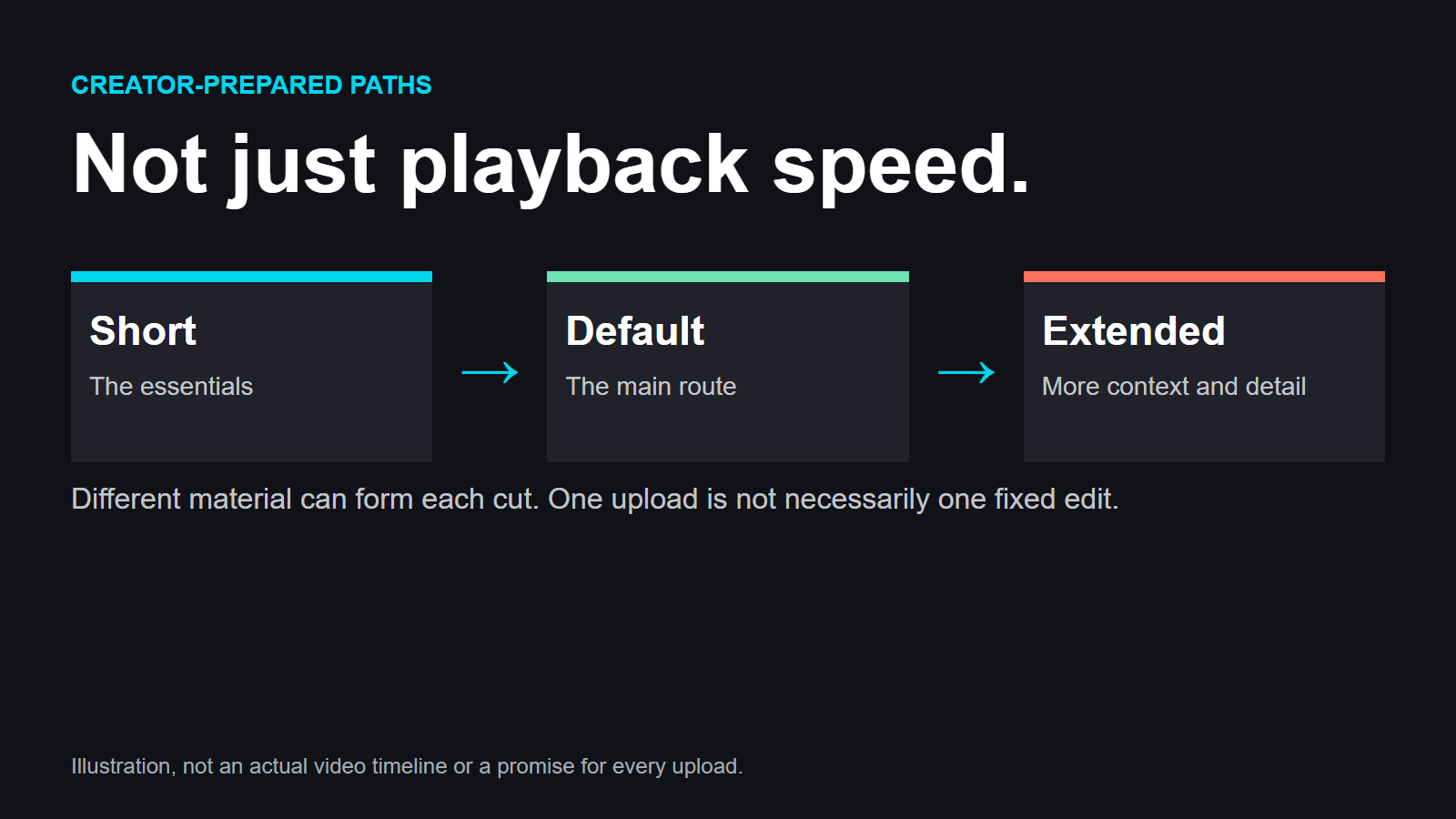
Timelines let creators prepare Short, Default, and Extended cuts. You can watch the essentials, take the standard route, or settle in for the extra material, depending on what the creator has made available.
This isn’t just speeding up playback or jumping between chapter markers. It changes which material forms your viewing experience.
For the robot video, Short could show the idea, the main build steps, and the result. Extended could include the component choices and troubleshooting. Someone who starts out casually interested might return later for the details.
The creator doesn’t have to throw away useful material just because it would slow down the main cut.
More Than Shorter or Longer
Creators can organize material into custom segment categories, supply alternative clips, and create named viewing paths. A beginner-friendly explanation and a technical deep dive can become different routes through a project.
Alternative versions of a segment can have different lengths. There’s also support for randomized alternatives drawn from clips the creator has supplied—opening up possibilities for different takes, jokes, or demonstrations across viewings.
Creators can set different timeline defaults for different audiences, too. Viewers can adjust the available choices, while optional creator locks preserve decisions the creator wants to keep fixed.
And these are native editing tools that already exist on N3XT.TV, not features waiting on an external editing application.
You can still just press play. The interesting part is having somewhere to go when you want more control than that.
Give Your Interests Their Own Feeds
Watching one kind of video doesn’t necessarily mean you want it mixed into everything else.
Sometimes you’re learning. Sometimes you’re looking for music. Sometimes you’re watching something ridiculous because you’ve finished thinking for the day.
N3XT.TV’s viewing modes have separate histories, recommendations, and preferences. Different parts of how you use the platform can develop independently, instead of becoming one pile of signals.
The useful twist is that the modes are combinable. You can keep interests apart when that suits you, then bring them together when you’re in the mood for a mixture.
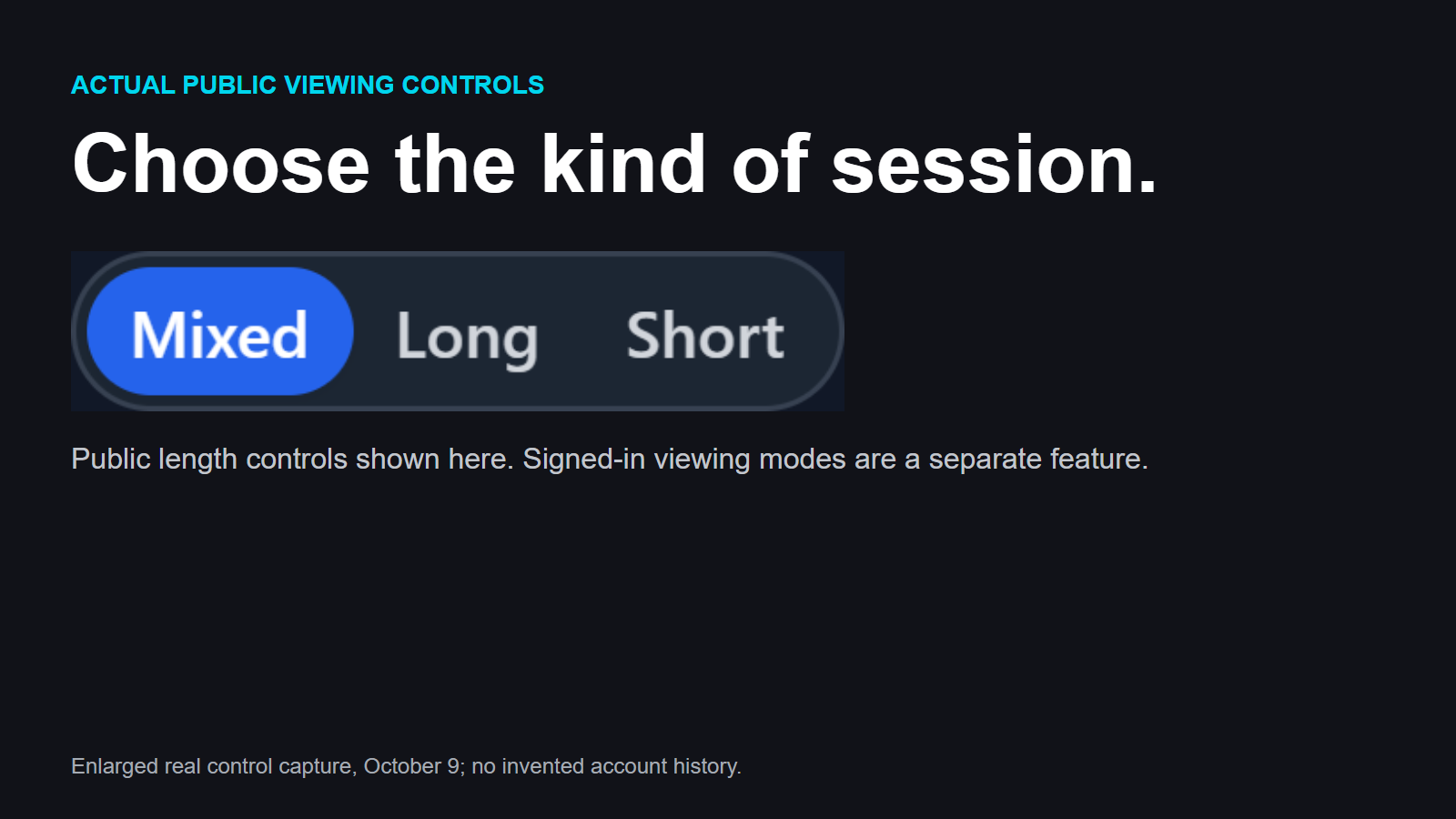
You also get long-form, short-form, and mixed viewing, plus continuous play. That lets you choose the kind of session you’re having—not just the subject.
These choices are separate from timeline cuts. One helps decide what comes next; the other helps decide which version of a selected video you watch.
Bad Video and Not for Me Are Different
N3XT.TV also distinguishes feedback about content quality from feedback about personal taste.
A beautifully made woodworking tutorial can still be the last thing you feel like watching. An interesting subject can be presented badly.
Downvotes have a meaningful role in quality feedback, while preference signals help communicate what belongs in your recommendations. You shouldn’t have to suggest that something is bad just to say you’d rather watch something else.
It’s a small distinction with a very everyday use.
A Better Thumbnail, Without Spoiling the Reveal
Some videos manage to spoil themselves before you click.
The mystery’s answer is in the title. The finished transformation fills the thumbnail. The surprise is no longer much of a surprise.
N3XT.TV’s title and thumbnail options combine audience targeting, testing, and spoiler prevention.
Creators can prepare different presentations for different audiences and compare alternatives. They can also make spoiler-conscious choices instead of assuming that everyone browsing wants the reveal immediately.
For a project video, one presentation might emphasize the technical challenge. Another might focus on the finished result. Someone following the story may prefer not to see that result yet.
It’s the same work, with a more thoughtful introduction.
Follow the Connections Between Creators
A good reaction can be entertaining. A good breakdown can make an original video much more useful. A follow-up project can take someone else’s idea in an unexpected direction.
Finding the connections between those things shouldn’t require detective work.
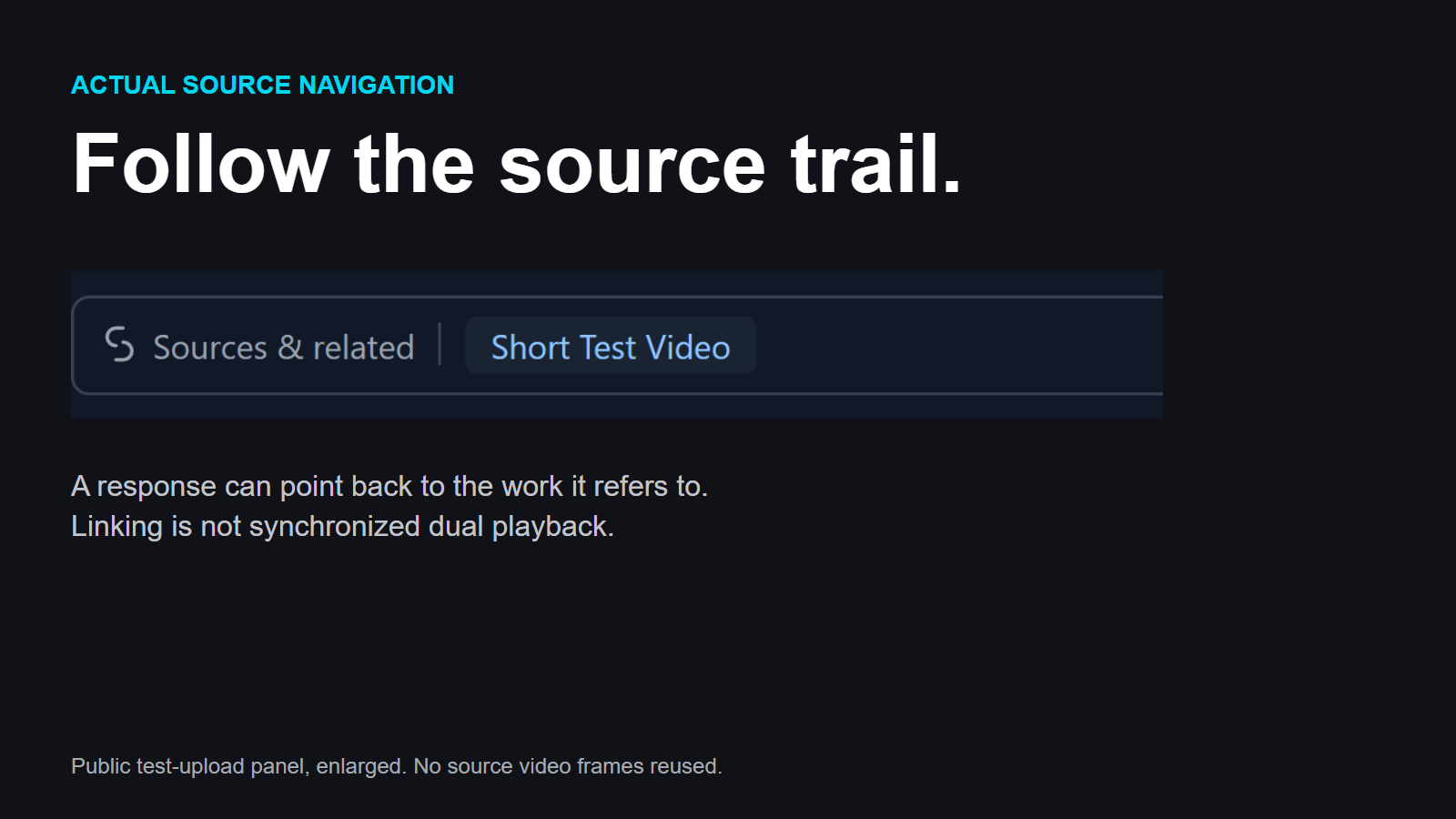
Linked videos connect separate uploads through attribution, relationships, discovery, and navigation. You can see what a response refers to and move between the related works.
Linking doesn’t automatically play two videos together or synchronize commentary with an original. It makes the relationship between the uploads part of the platform, rather than leaving it buried in a description.
A video can link to multiple sources, too. An analysis drawing on three demonstrations doesn’t have to pretend it has only one starting point.
Creator permission controls help govern supported linking and reuse arrangements. The system also supports provisional allocations of revenue to source contributions—recognizing those contributions financially where applicable, without treating an allocation as a guaranteed payout.
For viewers, the immediate benefit is simpler: you can follow the trail from an interesting response to the work that inspired it.
That’s a much better rabbit hole than losing the original somewhere along the way.
Make the Platform Your Own
N3XT.TV’s enhancements are optional additions that change parts of playback or the platform itself.
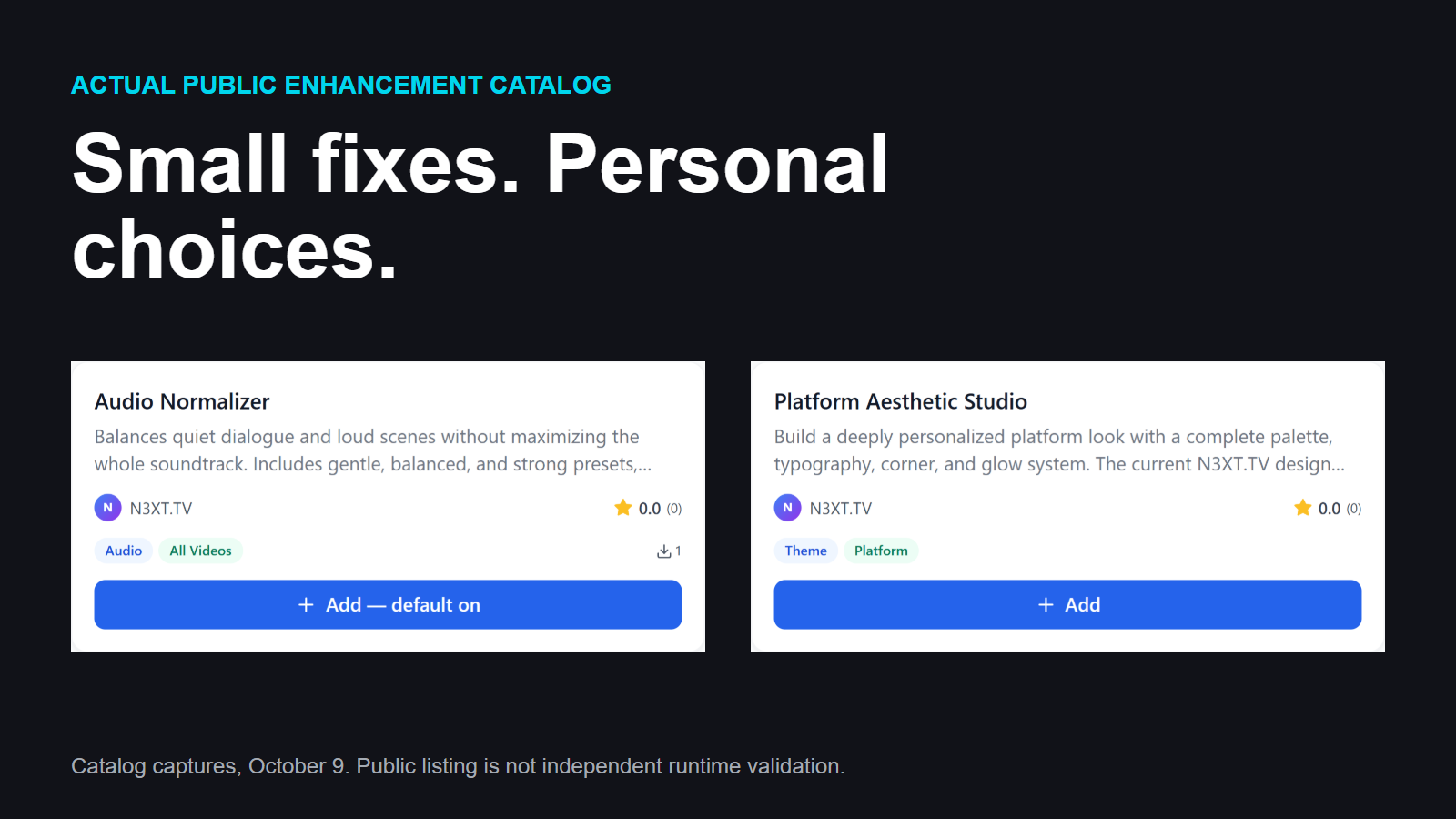
The current additions are free and reviewed. Two working examples make the idea easy to understand.
Audio Normalizer helps manage uneven sound levels. When quieter speech gives way to much louder passages, it can make listening less dependent on repeatedly reaching for the volume control.
Platform Aesthetic Studio lets you customize the platform’s visual appearance. You’re not limited to choosing the content; you can change aspects of the place you’re watching it.
Those two examples also show how broad the idea is. An enhancement doesn’t have to be a flashy effect over a video. It can solve an ordinary annoyance or make the interface more your style.
Community participation already includes requests and voting, so contributing an idea doesn’t require writing the addition yourself. You can explain what would help and support requests you’d like to see addressed.
That’s an interesting space for people who enjoy making tools as much as making videos.
Listen Alone or Watch Together
For eligible videos with a prepared audio rendition, audio-only playback is free.
An interview or discussion doesn’t always need the screen. When an audio version is available, listening can be the experience rather than a compromise.
That doesn’t mean every upload automatically has audio-only playback, or that every device will keep playing identically with its screen locked. Background behavior depends on the device and playback environment.
And when you’d rather share the screen time, synchronized watch parties already exist.
Friends can join a coordinated viewing session instead of relying on a countdown and hoping everyone presses play together. A creator’s community can watch something at the same time.
Watch parties synchronize a shared viewing session. Linked videos connect different uploads. They do different jobs, and both are already part of the platform.
Less Repetitive Work for Creators
The unusual features are fun to talk about. Re-entering descriptions and tags is not.
N3XT.TV already has metadata import assistance to help prepare supported information from an existing catalog. Creators still provide the actual video files; this isn’t a tool that quietly downloads another platform’s videos.
That distinction matters, but so does the convenience. Trying a new platform shouldn’t mean manually recreating every piece of information around work you’ve already finished.
Reusable tag and description presets make future publishing less repetitive. Recurring channel information, credits, or series details can be reused instead of typed from scratch.
There’s also a creator music library, available under its usage terms, alongside the native timeline tools for preparing different cuts and viewing paths.
Taken together, these are the kinds of features that make a platform easier to keep using after the initial curiosity wears off.
Following Is Free
On ordinary watch pages, Subscribe means free following.
Tip and paid channel-subscription controls currently sit within the gated livestream feature, rather than appearing as general paid-support options on every video. Advertising participation also has eligibility requirements.
So following a creator, paying for a channel subscription, and qualifying for advertising are separate things—not interchangeable uses of the same button.
What Exists Now and What Comes Next
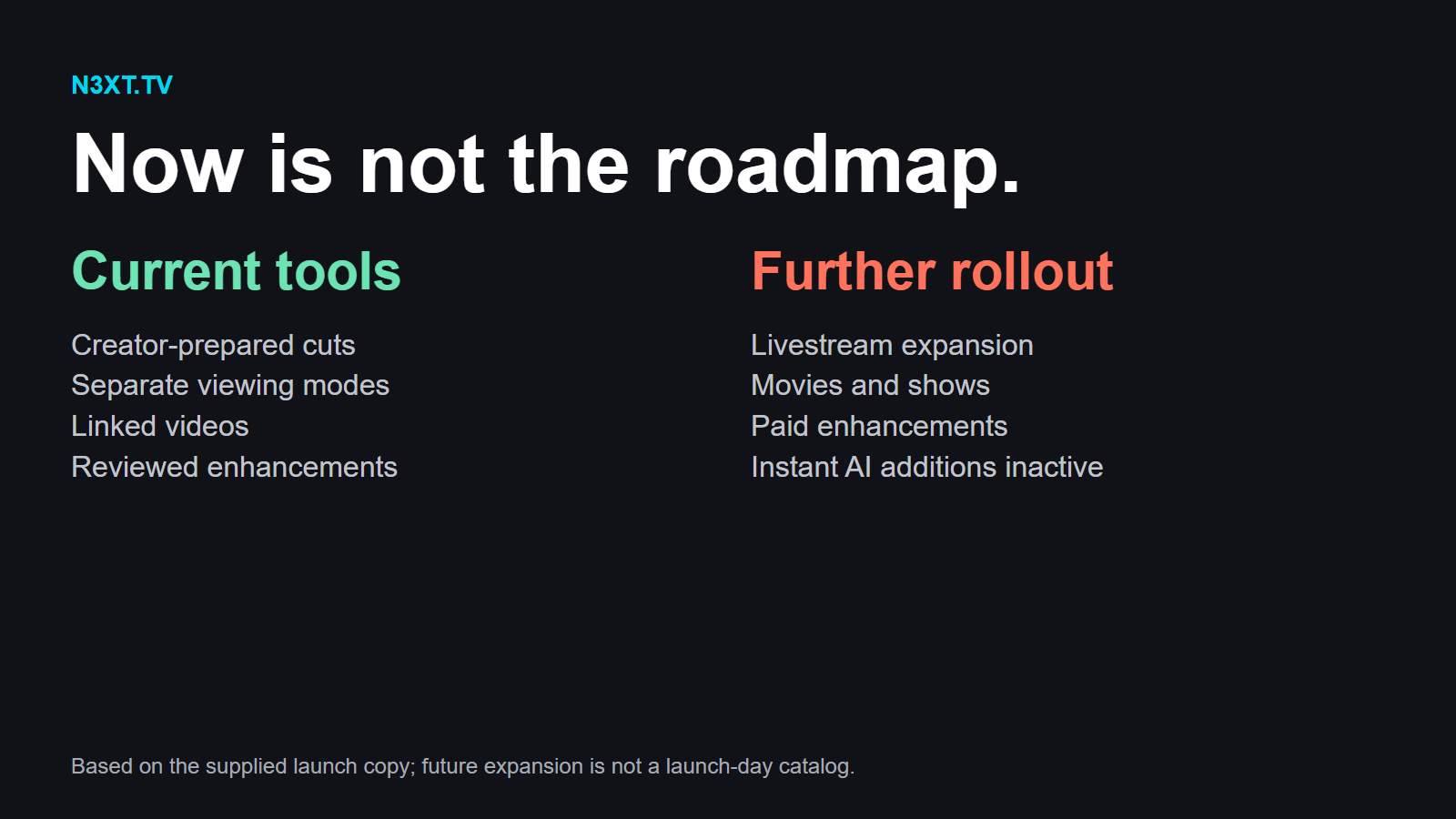
N3XT.TV’s first job is to be a compelling place for everyday videos: something people can watch on, publish to, and enjoy using now.
Livestreaming comes next in the broader rollout. Movies and shows are part of the longer-term ambition. Those aren’t being presented as a fully stocked launch-day catalog.
It’s an appealing direction because the existing ideas have room to become useful in those other formats, too. Spoiler-conscious presentation could matter for shows. Alternative cuts could give filmmakers more ways to present their work. Watch parties already provide a way to gather around a shared video.
Those are possibilities for where the platform can go, not promises that every combination is available today.
The enhancement system has its own next steps. Paid and pay-what-you-want additions remain planned. Instant AI-generated enhancements remain inactive, while timed pop-ups, effects, and more experimental integrations are possibilities rather than current timeline features.
There’s also a separate Premiere workflow that still needs verification inside the application. That doesn’t hold up the timeline editing already available directly on N3XT.TV.
In other words, there’s a roadmap—but the current platform doesn’t need to borrow everything from it to be interesting.
A Reason to Open a New Tab
The robot video is probably the easiest way to picture what N3XT.TV is getting at.
You might watch the quick cut because the finished machine looks fun. Later, you could return for the detailed build, follow a linked response from another creator, or watch it with a friend. Your project-watching interests can have their own recommendations without taking over your entertainment feed.
None of that requires you to care about every feature.
Maybe you’ll mostly use different cuts. Maybe separate viewing modes are the thing you’ve wanted. Maybe you’re a creator who sees a new way to organize a project that never quite fit into one fixed edit.
That’s what makes N3XT.TV worth knowing about: it gives you something to explore beyond the fact that it isn’t YouTube.
It starts with videos. There’s more planned. And there’s already enough here to make opening a new tab interesting.
Explore N3XT.TV and its enhancement catalog. Which would change your viewing most: a different cut, separate feeds, or following the source trail? Tell us in the comments below.
Launch information was supplied by N3XT.TV. The public interface was checked for this feature; creator-account capabilities and future plans are described by the platform, not independently performance-tested.
Comments
Member comments are temporarily unavailable.
Log in to join the discussion.