
Snek.js: A Tiny Terminal Game You Can Take Apart
Original writeup by Tania Rascia
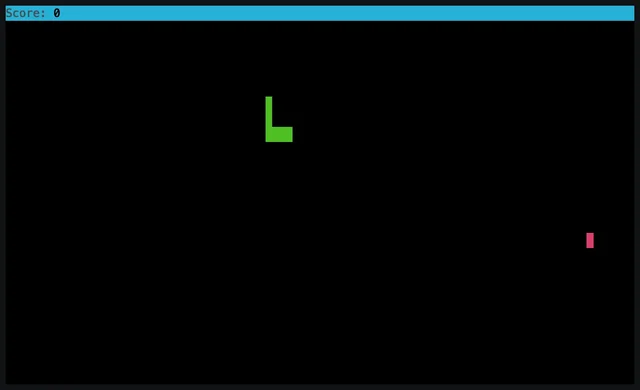
Image credit
snek.gif
Tania Rascia · MITSource animation frame 46, resized without cropping and converted to a WebP preview.
Before you build
A small software build with a satisfyingly limited scope: a terminal window, directional input, food, collisions and restart. The complete project README below supplies three ways to launch it and a short module example. The original gameplay animation is retained as playable video, not replaced with a generated screenshot. For a line-by-line explanation of the implementation, follow Tania Rascia's original tutorial link; that separate article is not republished here. This is an established project, not a new game release. Review dependencies and use an isolated development directory before running downloaded code; we have not claimed a fresh compatibility test of every installation option.
- Difficulty (editorial)
- Beginner
- Documentation
- Software project
- Hardware
- Computer
Node.js, npm and a terminal; review dependencies before running the original software in a separate development directory.
Tania Rascia's Node.js Snake project, with the complete MIT-licensed README, original gameplay animation, controls, installation options, and module example.
🐍 Snek.js
A terminal-based Snake implementation written in JavaScript (Node.js).
Read the tutorial
Image credit
snek.gif
Tania Rascia · MITAll animation frames retained; resized without cropping and converted to browser video.
Instructions
Use the arrow keys (↑, ↓, ←, →) or W A S D to navigate the snake up, down, left, or right. Eat the red dot to gain points. If the snake collides with the wall or its own tail, it's game over. Press ENTER to restart, and Q, ESCAPE or CTRL + C to quit the game.
Installation
Run without installing
The easiest way to play the game is to just run it in the terminal without installing anything!
npx taniarascia/snek
Clone from repository
git clone https://github.com/taniarascia/snek
cd snek

# install and run via npm or yarn
npm i && npm run play
npm module
Add the snekjs module.
npm i snekjs
Create the game.
// index.js
const { UserInterface, Game } = require('snekjs')
const game = new Game(new UserInterface())

// Begin game
game.start()
Run the game.
node index.js
Acknowledgements
- Vanya Sergeev for pointing out my snake collision bug, for advising me to make a single, reusable draw method, for showing me how to properly bind methods between classes, and for overall guidance and inspiration.
- Devin McIntyre for general advice.
- Panayiotis Nicolaou's JavaScript Snake for Web for initial logic.
Author
License
This project is open source and available under the MIT License.
Source and license
Original documentation: Tania Rascia. Reproduced under MIT. Individual image credits identify any separately licensed media. The full original copyright and permission notice is retained in that license file.
Republished the complete README text. Reformatted HTML as Markdown, resolved relative links, and served repository images locally. Photos resized without cropping; diagrams retain source resolution. Externally hosted or separately unverified media is linked at its original location. Introductory selection notes are by Meteor Makers; the original author is not responsible for those notes. Build animations retain every source frame.
Source revision: 97429bb40023. Retrieved 2026-10-27. This is a source snapshot, not a claim that the project was first published today or that its creator endorses Meteor Makers.
Keep exploring
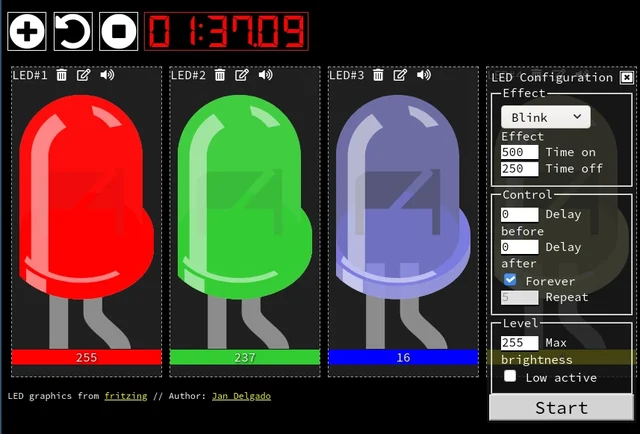
A responsive fade is a timing problem, not a processor contest. JLed and Arduino examples show how to animate light while the rest of a small interface keeps working.
Image credit
doc/jled-wasm.png
Jan Delgado; graphics created with Fritzing · MIT + Fritzing CC BY-SA 3.0Resized without cropping and converted to a WebP reading preview. Full-resolution original remains available.
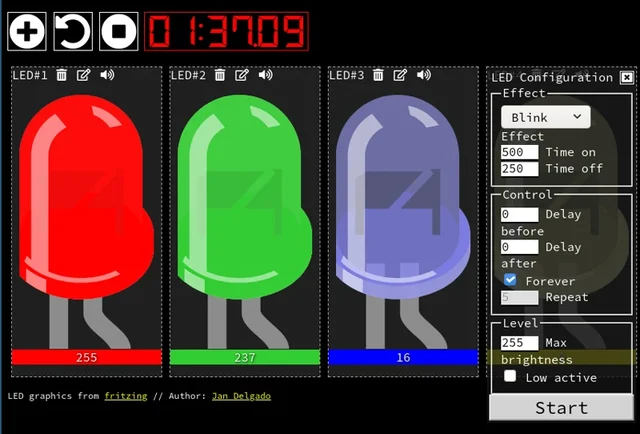
Jan Delgado's complete JLed guide and selected original example chapters, with wiring diagrams, timing plots, and the full LED demonstration animation.
Image credit
doc/jled-wasm.png
Jan Delgado; graphics created with Fritzing · MIT + Fritzing CC BY-SA 3.0Resized without cropping and converted to WebP for the project card.
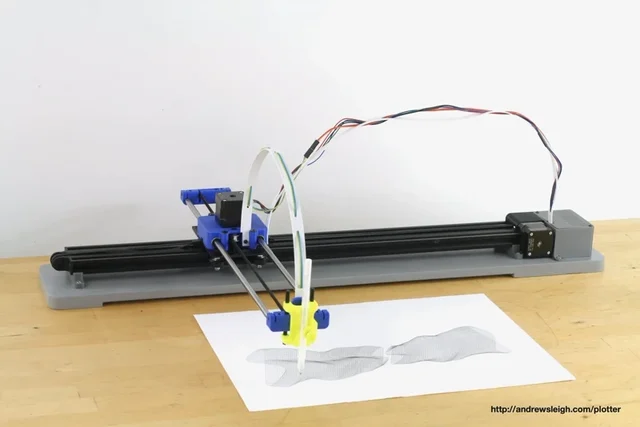
Andrew Sleigh's complete plotter writeup, with three design generations, original machine photos, parts lists and the SVG-to-G-code workflow.
Image credit
photos/v3/IMG_6608.jpg
Andrew Sleigh · MITResized without cropping and converted to WebP for the project card.
Google's interactive world model adds native sound and dialogue. Its research preview suggests a new creative workflow, but consistency and access remain limits.