
Turn a Webcam Spectrum Into a Live Intensity Plot
Original writeup by Kousheek Chakraborty
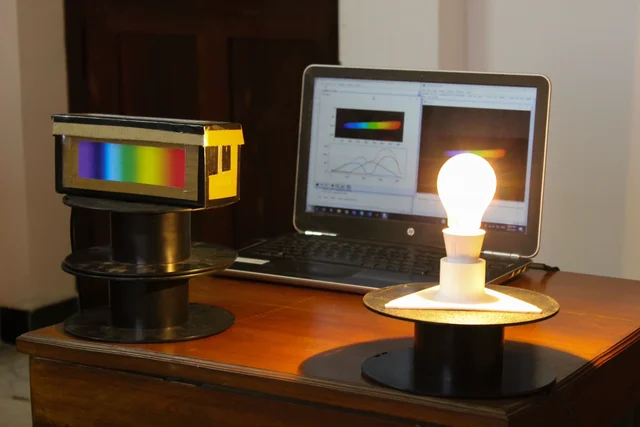
Image credit
Before you build
This is the full licensed guide for the analysis application, not a claim that the separate Instructables hardware tutorial is licensed for republication. That assembly tutorial remains an original-source link. The program extracts a camera-based intensity profile; a convincing graph is not proof of absolute wavelength accuracy or radiometric calibration. The original Python 3.7 environment is historical and may need adaptation in a maintained environment. Never aim a camera spectrometer at the Sun or an unprotected laser beam. No measurement results here are Meteor Makers tests.
- Difficulty (editorial)
- Intermediate
- Documentation
- Software and analysis guide
- Hardware
- Webcam, Python, OpenCV
Requires a camera spectrometer and a maintained Python environment; separate hardware tutorial is linked rather than copied.
Kousheek Chakraborty's complete MIT-licensed analyser guide, original spectrometer photograph, and sample plots for exploring light with Python and OpenCV.
DIY Spectrometer Analyser
Spectrometer Analyser app using python and opencv developed for a low-cost, scratch-built spectrometer.
In this project, I develop a basic app to extract the intensity distribution of wavelengths emanating from a light source that we would like to study. This is a complement for the low-cost scratch-built spectrometer I designed and built. Detailed build instructions can be found at the following link: https://www.instructables.com/DIY-Low-Cost-Spectrometer/.
A picture of the result is attached below.
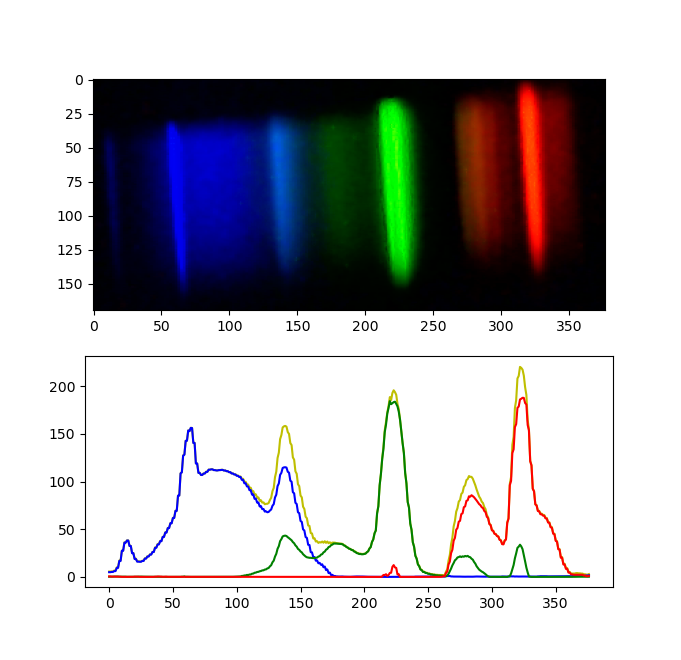
Image credit
About The Project
The basic concept of a spectrometer is that an "unknown" beam of light is flashed onto an optical element that splits the beam of light based on the wavelengths present in the "unknown" beam of light. Each wavelength is deviated a different amount, therefore by measuring the deviation, one can determine the wavelengths present in the "unknown" beam of light, which could potentially provide more information about the source of the beam of light, even if it originated millions of kilometers away.
In earlier times, scientists used prisms to split the beam of light into its components, and a pivoting eyepiece to measure the angular deviation of each wavelength component. However, more recently, the prism is replaced by a diffraction grating that serves the same purpose as the prism, and the eyepiece is replaced by an electronic photoreceptor array that is connected to a computer.
Getting Started
Prerequisites
- The program was created using Python3.7
- OpenCV
- Matplotlib
Installation
To install the Spectrometer Analyser app, install the required librarires and clone this repository using the following commands:
pip install opencv-python
pip install matplotlib
git clone https://github.com/kousheekc/DIY-Spectrometer-Analyser.git
Usage
To run the app, open a terminal and navigate to the folder you just cloned and run the following command:
python3 analyser.py
Once the app is running you should see a window with the video stream from the photoreceptor.
To make an analysis, here are the steps to follow:
- Flash the spectrometer with a source of light
- Use the R key to crop the image
- Use the S key to get the intensity graph
- Use the Q key to quit the app
License
Distributed under the MIT License. See LICENSE for more information.
Contact
Kousheek Chakraborty - kousheekc@gmail.com
Project Link: https://github.com/kousheekc/DIY-Spectrometer-Analyser
Analysis 1
Image credit
Analysis 2
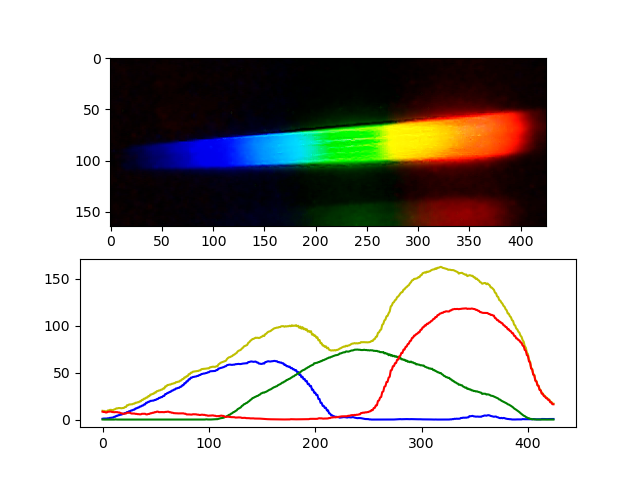
Image credit
Overview of System
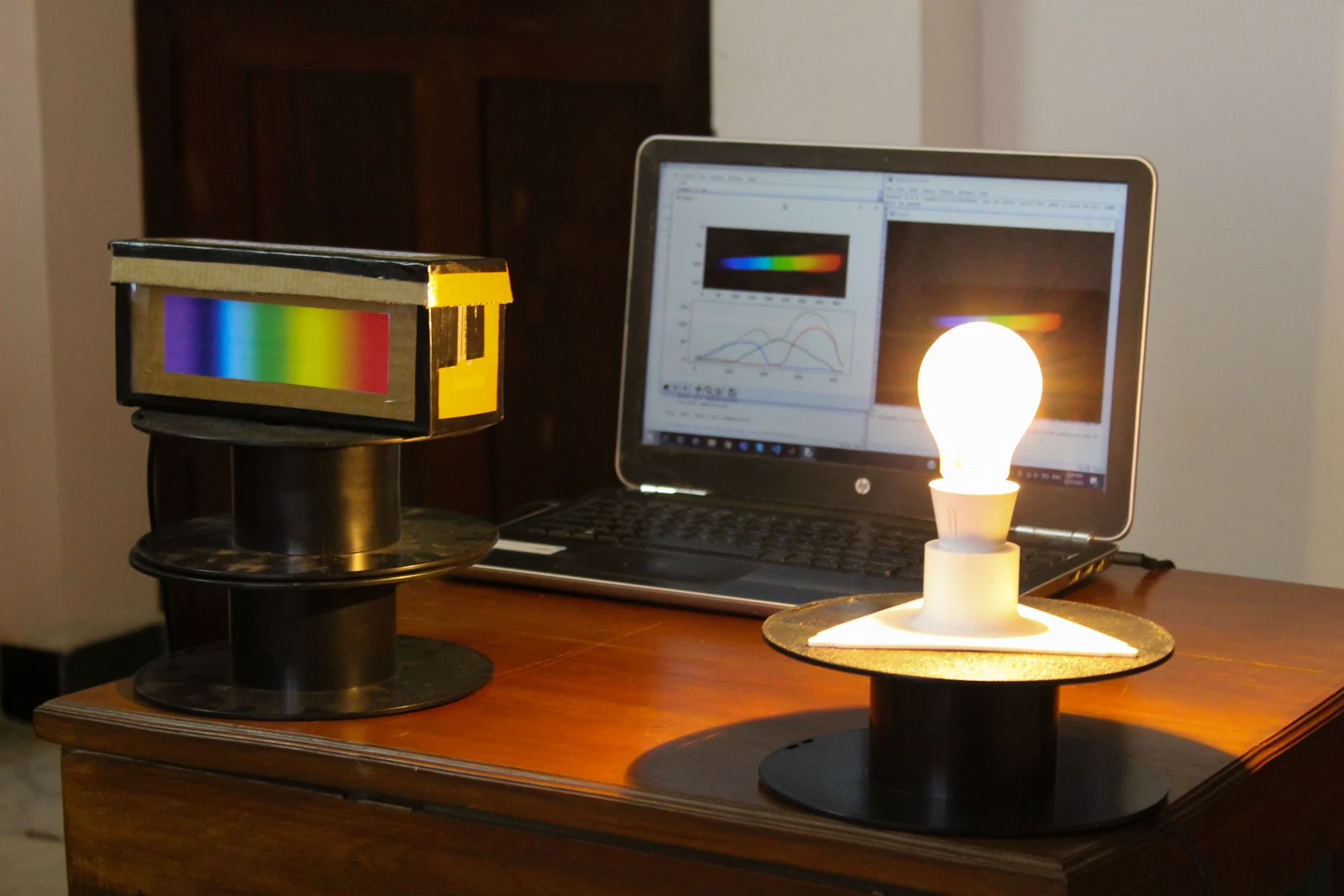
Image credit
Source and license
Original documentation: Kousheek Chakraborty. Reproduced under MIT. Individual image credits identify any separately licensed media. The full original copyright and permission notice is retained in that license file.
Republished the complete README text. Reformatted HTML as Markdown, resolved relative links, and served repository images locally. Photos resized without cropping; diagrams retain source resolution. Externally hosted or separately unverified media is linked at its original location. Introductory selection notes are by Meteor Makers; the original author is not responsible for those notes.
Source revision: 570b6d0efc53. Retrieved 2026-10-29. This is a source snapshot, not a claim that the project was first published today or that its creator endorses Meteor Makers.
Keep exploring
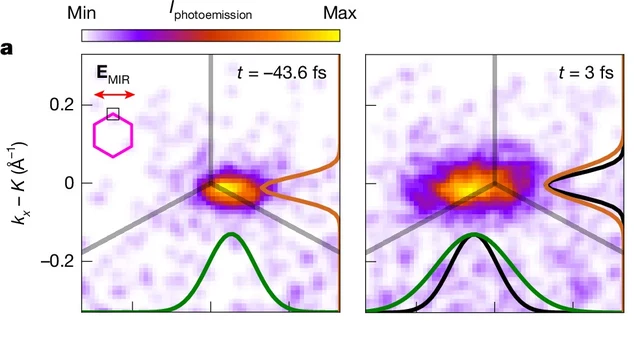
A Nature experiment maps light-driven electronic dynamics across graphene's momentum space. Sub-10-femtosecond frames and attosecond timing precision are different claims.
Image credit
Cropped measured momentum distributions from Figure 3a
V. Eggers et al. · CC BY 4.0Cropped to the two upper-left measured distributions in Figure 3a, retaining times, legend and axes; resized and encoded as WebP. Not a real-space photograph.
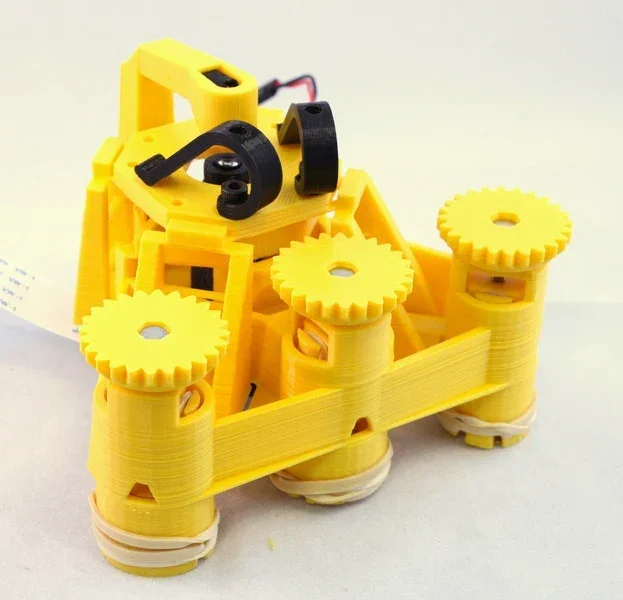
Richard Bowman and contributors' full microscope build instructions: printing, flexure actuators, two optical configurations, illumination, wiring, and motorization.
Image credit
docs/images/microscope_complete_1.jpg
Richard Bowman and OpenFlexure contributors · CERN-OHL-1.2Resized without cropping and converted to WebP for the project card.
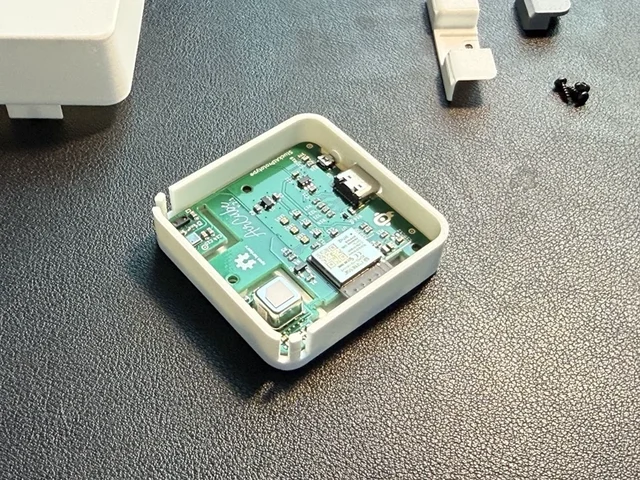
The creator's complete assembly, firmware, Home Assistant and integration documentation, with real Base and Pro build photographs.
Image credit
mechanical/guide_images/pro_C.jpg
StuckAtPrototype, AirCube contributors · Apache-2.0Resized without cropping and converted to WebP for the project card.
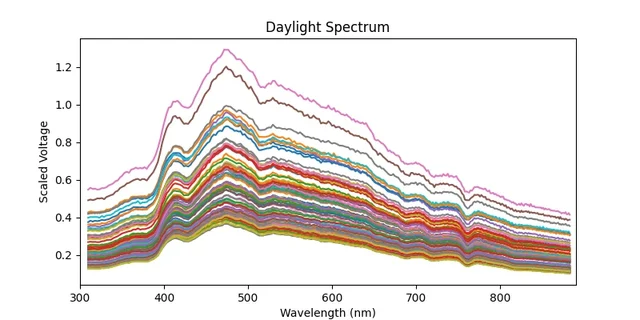
Bob Dougherty's complete guide to a networked Hamamatsu C12880MA spectrometer, with sensor connections, calibration requirements, API endpoints, and the original daylight measurements.
Image credit
examples/spec.png
Bob Dougherty · MITResized without cropping and converted to WebP for the project card.