
- Difficulty (editorial)
- Intermediate
- Documentation
- Experiment
- Hardware
- No microcontroller
A documented passive receiver circuit and suitable detector and listening device.
A passive receiver study focused on repeatable tuning adjustments and keeping antenna changes out of the comparison.
There is something appealing about a receiver with no power switch. A crystal set asks a small collection of parts to make a faint signal useful: tuning, detection, and listening, without an amplifier doing the heavy lifting.
It is also easy to turn into a collection of unrecorded adjustments. Move a wire, touch the coil, turn the capacitor, change the earpiece. A station appears, then disappears. The project starts to resemble a test of patience rather than a test of a receiver.
Put a tuning log beside it from the beginning. Not because the circuit needs paperwork, but because a repeatable setting is more useful than a lucky one.
Choose the circuit before the parts
Work from a documented passive receiver design. Match the coil, tuning capacitor, detector, and high-impedance listening device to that design. An ordinary low-impedance earbud is not automatically interchangeable with the specified earpiece. A part that looks historically appropriate may have the wrong electrical characteristics.
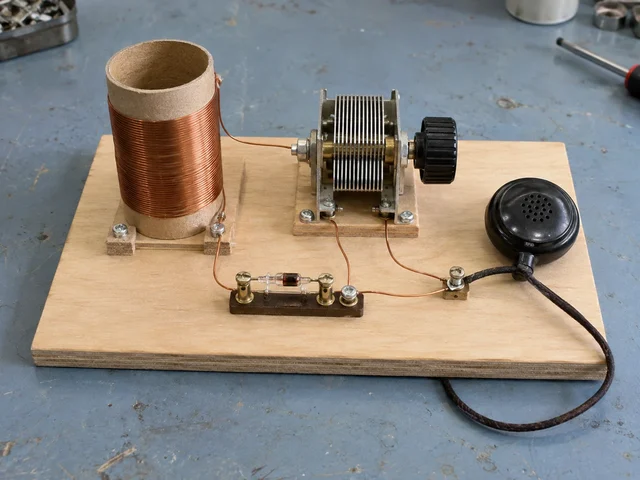
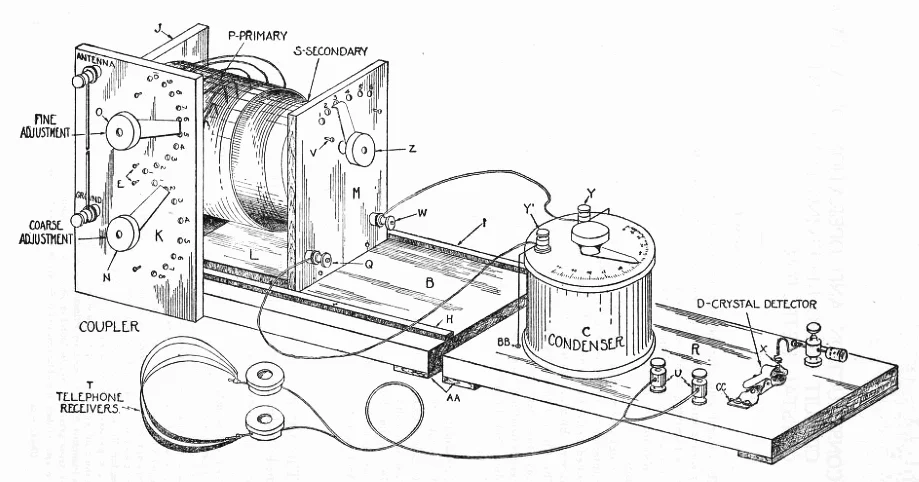
The lead illustration shows the general arrangement of a simple set. It is not a construction schematic. The physical routing of its wires should not be copied as electrical instructions.
Identify the connections on the actual tuning capacitor before mounting it. Leave room to turn the knob without touching the coil or pulling a lead. Use secure terminals or connections appropriate to the documented design. An intermittent contact can make a perfectly ordinary adjustment seem mysterious.
The board should be stable enough that writing a note does not move the receiver. It does not need varnish yet.
Keep the receiving arrangement fixed
For the first comparison, keep the receiver in one place with the same safe indoor antenna arrangement. Do not connect it to household mains, plumbing, or an improvised earth. Do not run wires outdoors near power lines or during storms. Choose a design whose antenna requirements you can meet safely indoors.
Indoor reception depends on location and available signals. Silence is not proof that a particular component is defective. It is a reason to check the documented circuit and its suitability for the setting, not a reason to attach a random supply.
Mark several repeatable positions around the tuning knob. Simple letters are sufficient. Avoid pretending they correspond to calibrated frequencies. If the design offers coil taps, label those too, but change only one adjustment during a comparison.
For every attempt, note the date, approximate time, knob mark, selected tap, antenna arrangement, and what was audible. "Speech, too faint to understand" is more useful than "bad." So is "hum changes when the cable moves."
Listen for repeatability, not just a station
Suppose a setting produces an audible signal. Move away from it and return. Does the signal return as well? Repeat that several times without changing anything else. If it cannot be found again, record that uncertainty instead of giving the position a confident label.
Then make one deliberate comparison. Try a neighboring marked position. Or, in a later run, change one documented coil tap and return to the original setting afterward. The return matters: it checks whether the room, reception conditions, or a loose connection changed while attention was elsewhere.
Keep listening notes separate from proposed explanations. "The signal became quieter" is an observation. "The coil is unsuitable" is a hypothesis. The second statement may eventually be correct, but writing it too early can make other explanations disappear from view.
A useful page can be very plain:
Setup identifier:
Knob mark / coil tap:
Time and location:
What was audible:
What changed:
Result after returning to the original setting:
If a connection needs repair, end that comparison and give the revised setup a new identifier. There is no prize for keeping a long uninterrupted log whose middle entries describe a different circuit.
The rewarding moment is not necessarily the loudest signal. It is the moment an adjustment becomes understandable: a setting that can be revisited, a connection that can be ruled out, a note that explains why the next test is worth doing. Leave the notebook open there.
Materials
- Documented passive receiver design
- Coil former and insulated wire
- Suitable detector and tuning capacitor
- High-impedance listening device
Build Steps
- 1
Choose a documented circuit
Match component requirements rather than copying the photo.
- 2
Mark the adjustments
Label taps and tuning positions so a setting can be repeated.
- 3
Keep a reception log
Compare one change at a time using a small indoor antenna.
Keep exploring
Choose a LEGO microscope, ESP32 oscilloscope, laboratory syringe pump, haptic dial, DIY e-reader, synthesizer, or JPL rover using complete credited source documentation.
Image credit
images/osr-side-outside.jpg
JPL / California Institute of Technology and Open Source Rover contributors · Apache-2.0Resized without cropping and converted to WebP for the project card.
Compare a Wi-Fi weather station, an Arduino MIDI sequencer, a GPS e-paper clock, and CNC-milled PCBs, with complete writeups credited to their original creators.
Image credit
images/clock_front.jpg
mattwach · Apache-2.0Resized without cropping and converted to WebP for the project card.
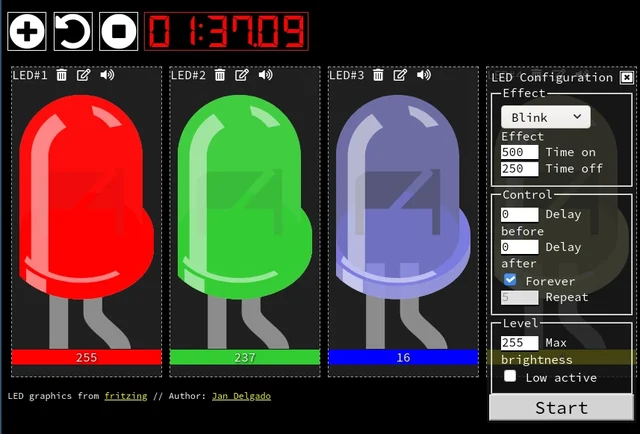
A responsive fade is a timing problem, not a processor contest. JLed and Arduino examples show how to animate light while the rest of a small interface keeps working.
Image credit
doc/jled-wasm.png
Jan Delgado; graphics created with Fritzing · MIT + Fritzing CC BY-SA 3.0Resized without cropping and converted to a WebP reading preview. Full-resolution original remains available.
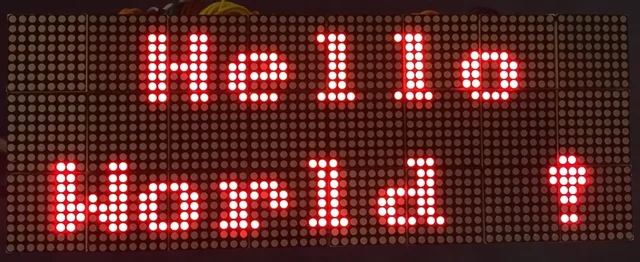
A full illustrated MAX7219 display guide: matrix wiring, power, chained modules, static graphics, and scrolling text, with the original diagrams and project photographs.
Image credit
doc/img/dispStatic.jpg
Maciej Miklas · Apache-2.0Resized without cropping and converted to WebP for the project card.